Upscale to HD / 4K
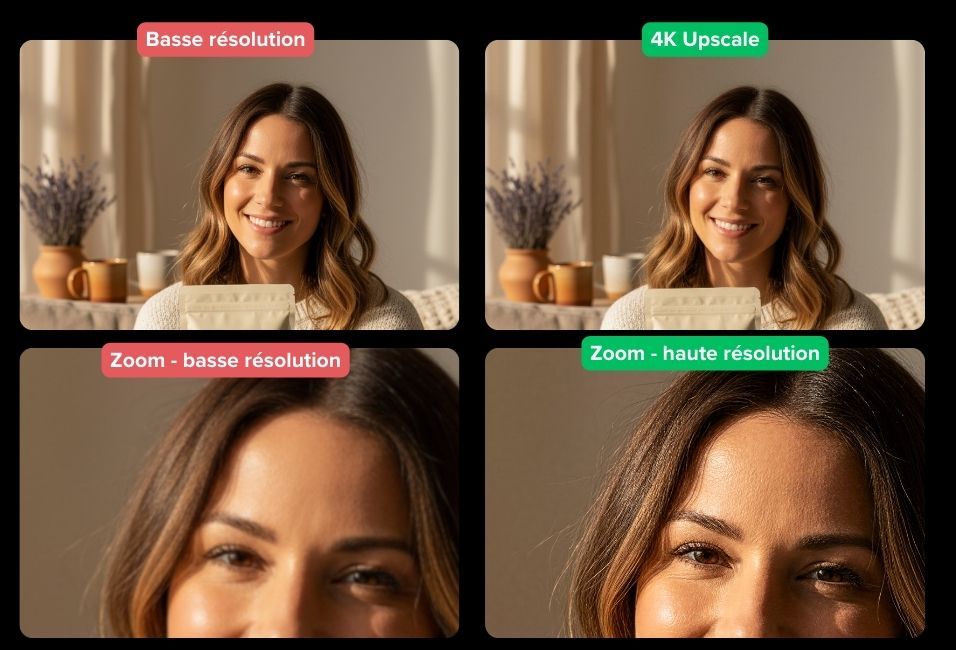
Increase the resolution of your images up to 4K for print or display.
Upscale to HD / 4K
Increase the resolution of your generated images for print or large format display quality. AI enhances details while preserving sharpness.
How to upscale an image?
- •1. Open the image to upscale from your gallery
- •2. Click the 'Upscale' icon
- •3. Choose the upscale factor: x2 (HD/2K) or x4 (4K)
- •4. AI processes the image and enhances details
- •5. Download the high-resolution image
Cost per resolution
- •Upscale x2 (HD / 2K): 2 credits
- •Upscale x4 (4K): 3 credits
When to use upscale?
- •Large format prints: posters, banners, POS displays
- •Physical marketing materials: brochures, catalogs
- •High-resolution display: 4K screens, presentations
- •E-commerce: high-quality product zoom
💡 Tip
4K upscale is recommended for large format prints, posters, and physical marketing materials.