Import from Pinterest
Use a Pinterest image as a mood reference for your generations.
Import from Pinterest
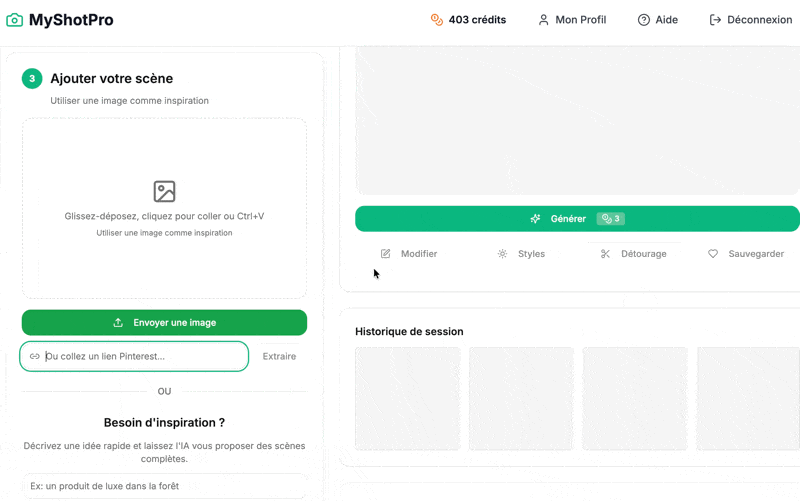
MyShotPro lets you extract an image directly from a Pinterest link to use it as a mood reference. It's one of the most popular features among our users.
How does it work?
- •1. Find an image that inspires you on Pinterest
- •2. Copy the Pinterest pin link
- •3. Paste it into the dedicated field on MyShotPro (Pinterest icon)
- •4. The image is automatically extracted and analyzed by AI
- •5. AI generates a scenario inspired by that mood
- •6. Start the generation with your subject in that ambiance
Best practices
- •Choose images with a clear, defined ambiance
- •Interior design, lifestyle and nature photos work great
- •You can modify the generated scenario before starting generation
- •Save successful Pinterest scenarios to your favorites for reuse
💡 Tip
This feature is perfect for reproducing Pinterest moodboards with your own products!