Organize my scenarios
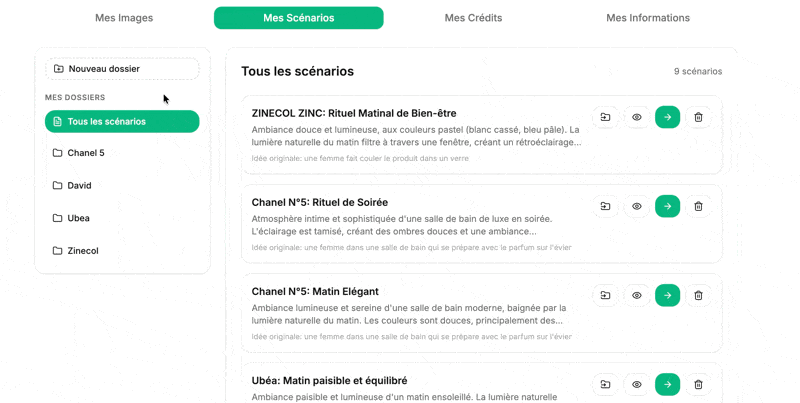
Create folders to organize your favorite scenarios.
Organize my scenarios
Create folders to organize your favorite scenarios and find them easily for your next generations.
How to organize your scenarios?
- •1. Go to the 'Scenarios' tab of your account
- •2. Create thematic folders (e.g., 'Lifestyle', 'Studio', 'Christmas')
- •3. Drag your favorite scenarios into the appropriate folders
- •4. Rename or delete folders at any time
Organization tips
- •Organize by client or project for quick access
- •Create a 'Best results' folder for your top-performing scenarios
- •Scenarios generated from Pinterest can also be saved
💡 Tip
Good scenario organization saves you time with every new generation!